
How to use QR Code Reader
Convert a QR code image to text or a URL online. Choose or paste a PNG, JPG or WebP screenshot, then copy the result or save TXT. Free, no upload.
- Input
- One PNG, JPG or WebP image (up to 20 MB, 24 megapixels and 8,000 pixels per side)
- Output
- The raw text or URL in the QR code, ready to copy or download as TXT
- Processing
- Processed in your browser; your input is not uploaded
- Choose or drag in a QR code image, or click the reading area and paste a screenshot.
- Wait for decoding in your browser, then check the original text or URL.
- Copy the decoded text or download a TXT file. URLs open only if you choose to open them.
Convert a QR code image to text or a URL
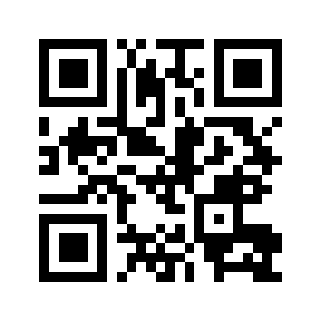
Try this QR code first
Input: a QR code image
Decoded text: https://toolmelo.com
Choose “Try a sample” above to read this image with the same decoder used for your files. The result should match this URL exactly. It does not open the website automatically.
Download sample QR code ↓The QR code is on the device you are using
Save a screenshot and choose it here, without reaching for a second phone. On a computer, you can also click the reading area and paste a screenshot. This reader works with images, not a live camera.
Check the URL before you open it
Inspect the domain, copy the raw text or download a TXT file. Decoding is not a safety check and does not prove that a link still works. Login and payment codes depend on the original service.
A small code inside a large screenshot
Crop away unrelated content, keeping the white margin around the QR code. Do not cut into its squares. Decoding cannot repair a blurred or obscured code, or renew an expired one.
Crop the screenshot first ↗FAQ
How do I convert a QR code to text online?
Choose a PNG, JPG or WebP image containing a QR code. The converter displays the raw encoded content, such as text, a URL or Wi-Fi details. Copy the result or save it as TXT. This reads QR codes rather than doing OCR on printed text.
Do I need a camera or a second phone?
No. Choose a QR code screenshot saved on the phone or computer you are using. On a computer, you can also click the reading area and paste a screenshot. This tool reads image files and does not access your camera.
What if the QR code isn’t detected?
Use a clear original image, crop away unrelated areas and keep the white margin around the code. Large images are scaled down to 4,096 pixels on the longest side for scanning, so crop very small codes separately. One QR code is read at a time; barcodes and batch scanning are not supported yet.
Will it open links or make payments automatically?
No. The tool only reads the raw content. HTTP/HTTPS links can be opened by you manually, and anything else is shown as text only. Whether temporary codes for payment or login are still valid is up to the original service.
Are the image and result saved?
They are neither uploaded nor stored. Scanning happens in your browser and everything is cleared when you refresh or close the page, so copy or download the result yourself.